invinityads

Rabu, 07 Januari 2009

Clone Stamp Tool in CS

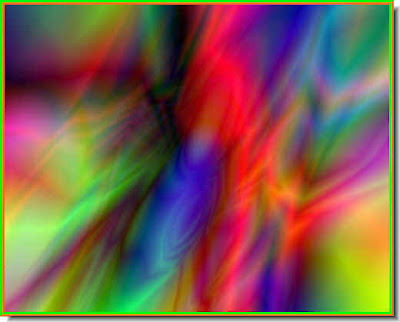
You can get a trick effect with the Clone Stamp Tool in Photoshop CS. You can also copy part of an image with the Clone stamp.

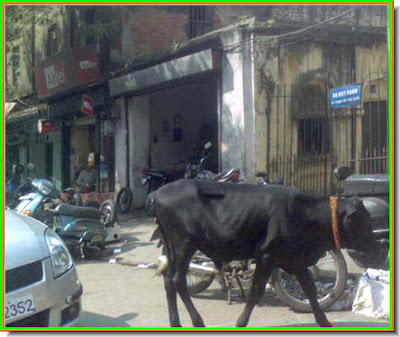
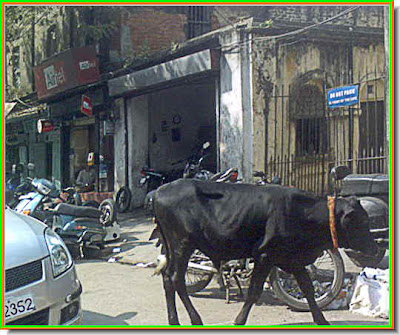
I have taken this image.

I have copied the image on top with the Clone Stamp Tool to get this effect.

You can get this effect also if you want to.

The tutorial is here.

Other photoshop tutorials are here.

Kamis, 25 Desember 2008

Gold Text Effect 2 Gradient Overlay

Let us create gold text in Photoshop. There is no color called gold in PS. Then what do we do? You can create it with a Gradient Overlay for which you have to use the Gradient editor. The golden color is created using gradients. You can do it too in any version of Photoshop.

The gold text created with photoshop.

The tutorial is here.

Click here for other photoshop tutorials.

Minggu, 21 Desember 2008

High Pass Filter - Advanced

The High Pass filter can be used to sharpen details in a photo, especially those taken with mobile phone cameras. The point of this tutotiarl is show the settings and what degree to apply the filter.

The original photo at the top and the sharpened one below. Look at the car number plates and you will notice the difference.

The original photo is at the top and the sharpened one at the bottom.

The photoshop tutorial is here.

Other photoshop tutorials are here.

Sabtu, 20 Desember 2008

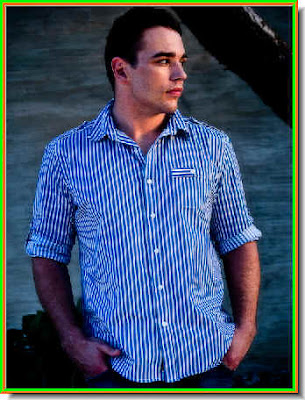
Beard with Photoshop

You can create a beard and moustache in photoshop and apply it to a clean shaven man to make him look bearded. It is very easy and can be done in any version of Photoshop. It needs a particular brush that is found in all versions of Photoshop.

Here is the photo of a clean shaven man.


And this is what he looks with a beard added in Photoshop.


You can even change the color of the beard to any color you want. Here is the photoshop tutorial.

Other Photoshop tutorials are here.

Minggu, 14 Desember 2008

Channel for cutting out Objects - II

I have just posted a tutorial on cutting out a portion of an image with channels. You can cut out a complex figure cleanly with channels, which you cannot do with other selection tools. The tutorial is here This tutorial is a variation of the other one. You should also try it.

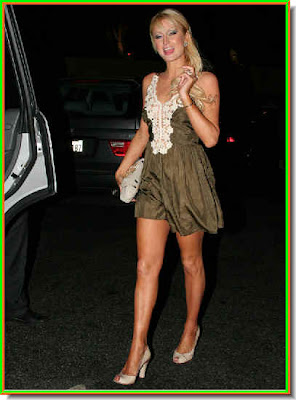
I have taken this image of Paris Hilton.

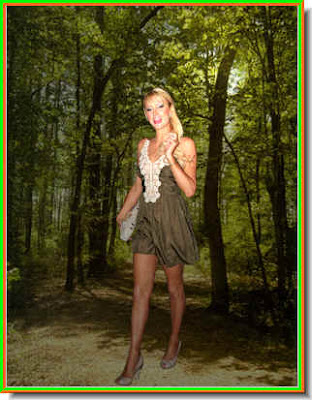
And set it on a new background.

You can also desaturate the background to make the figure stand out.

The photoshop tutorial is here.

Other photoshop tutorials are here.
Kamis, 11 Desember 2008

Channels for cutting out object

You can cleanly cut out a figure from an image with channels in Photoshop. It can be done in any version of Photoshop.

This is the photo of a girl in the original background.

This is the background I will replace it with.

The girl in the new background.

The photoshop tutorial is here.

Other photoshop tutorials are here.
Minggu, 07 Desember 2008

Background with Gradient Tool

YOu can create an interesting background by just using the Gradient Tool in Photoshop. You can add text or objects if you wish to make a poster also.

These have made using only a single Gradient Tool.

The Photoshop tutorial is here.

Other Photoshop tutorials are here.